Joint maintenance reserve fund
Co-owners pay it monthly to maintain common parts and manage the building. Make sure your account applies to the entire building or a separate community of co-owners of the entrance.
Last updated:
We pay into the building maintenance reserve fund every month. It is worth taking a few minutes to see how much has been collected, what has been paid and what remains for the next repair.
See how to get your data
Co-owners pay it monthly to maintain common parts and manage the building. Make sure your account applies to the entire building or a separate community of co-owners of the entrance.
The manager ensures separate account keeping of the community of co-owners, collection and payment of common expenses. His fee is paid from the maintenance reserve fund; check the amount in the contract.
The manager is elected and changed by the co-owners by the majority according to the shares, i.e. the value area where the shares are not determined. When changing, the termination of the previous contract should be arranged.
Legal framework: Act on the Management and Maintenance of Buildings, Art. 4, 13, 2829, 39, 48, 52 and 54.
Keeping track of the maintenance reserve fund concerns each and every one of us. If the expenditure exceeds the payments for longer, maintenance will be short of money. Regular inspection makes it easier to spot the increase in costs, unpaid liabilities or works that need to be planned differently in time.
Check the managing agent and the property address on your maintenance payment slip. In our block, the services used are Mepa Stan — eObjekt and Zapad Stan — eSuvlasnik. Look at the layout of the managers by building.
Building E already uses eSuvlasnik. We also present Tenato as another option for buildings seeking better access to information. We welcome every step towards greater transparency, regardless of the application chosen.
Electronic access to financial cards and reports of individual objects.
Update: weekly
Thus states Mepa Stan on his official website.
If you are downloading a PDF, its date is more important than the download date. The public description of the eObjekt does not confirm that the entire service is only PDF or that it is updated every few weeks.
Open eObjektSources: Mepa Stan service description and registration.
Personal access to data on its premises and finances of buildings managed by Zapad Stan. The manager states that he introduced it in early 2022.
Data after system entry
Assist IT specifies real-time alignment. The freshness also depends on the manager's posting.
It is possible to track personal debt or overpayment, financial card building, documents and maintenance program. The availability of individual displays depends on the rights and contracted services.
Open eSuvlasnikSources: Zapad Stan Access and Opportunities, Assist IT system description.
A platform for co-owners, representatives and property managers. According to its official description, it brings together notices, documents, fault reports and online voting.
Voting weighted by ownership shares
The provider states that results and approval thresholds are calculated automatically.
Published price: €1.99 per flat per month, charged through the building maintenance fund. Check the final amount, taxes and terms before signing up.
Explore TenatoSources: Tenato — features, pricing.
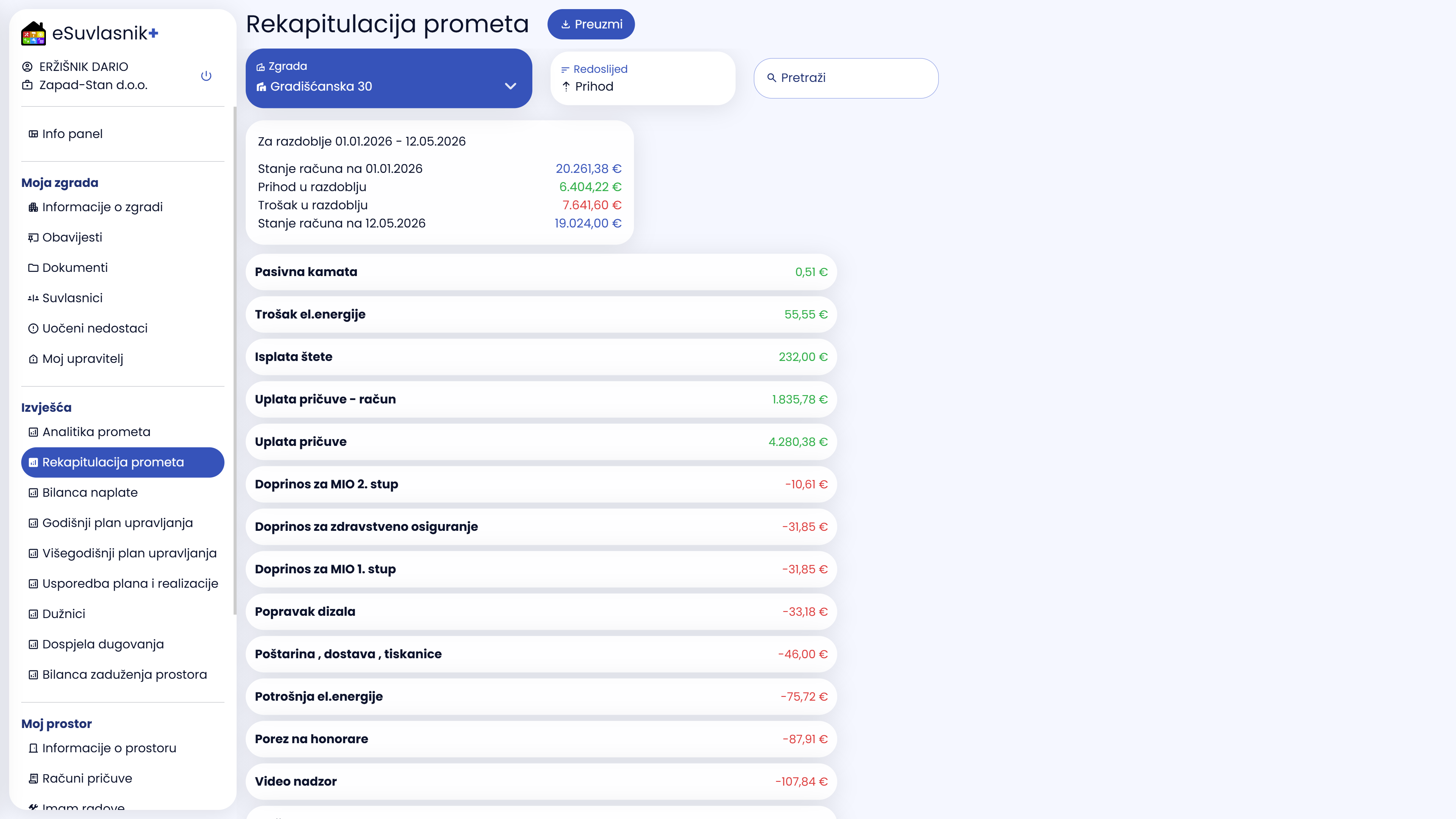
Assist IT publicly displays images of eSuvlasniks. The images below are downloaded from the manufacturer's official website. By clicking on the image, you can open a larger view; the amounts shown Not the data of the block..
Summary of income and expenses and initial and final balance. A good start for the question: where did the money go in the selected period?
Graphical overview of finances and debts in the extended eSuvlasnik+ package. Make sure that package is available to your building.
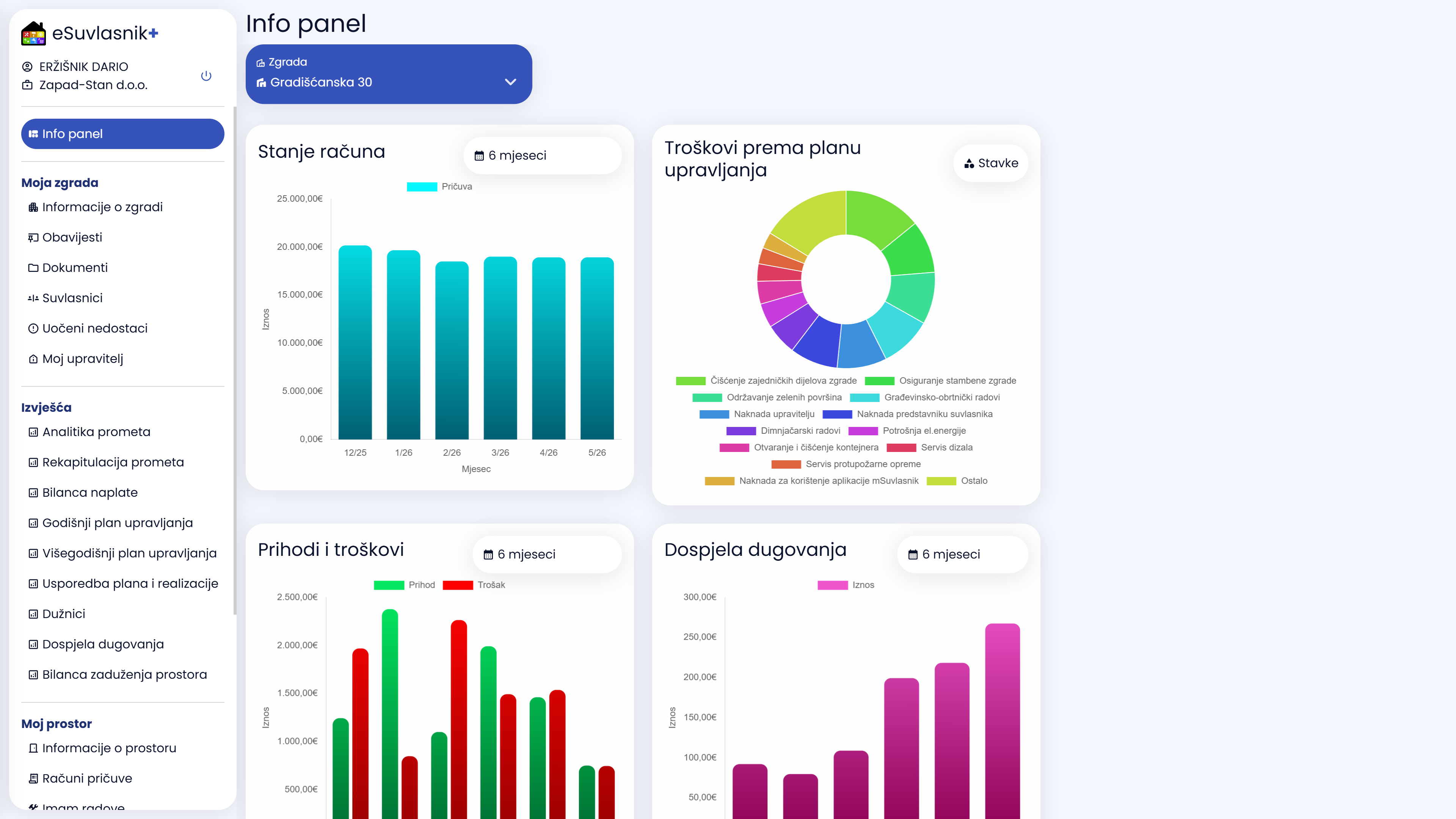
Author and Display Source: Assist IT eSuvlasnik. The eObjekt related public page displays the application, without an exemplary financial statement. View the official entrance to the eObjekt.
Before agreeing on the works, ask: How much does the contractor receive, is there an additional fee for the manager and what is the final amount charged to the maintenance reserve fund? Ask that any margin, commission or fee for the organization of the works be explained and associated with the contract or price list.
There is no established basis here for a hidden margin to be declared the usual practice of all managers. This call for verification is not a claim that Mepa Stan or Zapad Stan charge for undeclared additions. To assess the individual cost, specific accounts and contracts are required.
For maintenance operations of more than 2,500 the manager must request at least three independent, comparable offers. Article 53, paragraph 2 of the Act.
For less planned works, it is useful to compare more performers. Send them the same job description and compare the total price with taxes and supplements, material, deadline, warranty and what is included. The lowest starting price does not necessarily mean the best offer.
Suggest that the collected bids and the reason for the selection be preserved with the decision. Thus, competition becomes a real possibility for better use of the maintenance reserve fund. Do not delay urgent interventions to compare bids.
The co-owner may ask the manager for insight and delivery of the basis of the annual report and other management documents. The legal deadline is 15 days from the request. Art. 52 para. 1 para. 23.
You can customize this text and send it to your manager:
Hello,
I am a co-owner of the property at [address and property reference]. Please provide access to the building’s financial reports and a maintenance reserve statement for [from – to], including the account balance and outstanding liabilities.
For the cost [date, description and amount] please a copy of the invoice, associated offers and an explanation of any additional fee of the manager. Please also a valid maintenance program and information by which date the data is updated.
Thank you and greetings,
[name and surname]
Save your request and answer. If the answer is absent, send a written message and include a co-owner’s representative. Do not publish financial documents with personal data on public pages.
Do you want to receive maintenance reserve fund payments by e-mail?
Public sources verified September 8, 2026. Availability of reports and actual date of last posting check for your property.
Tenato — features and pricing. Tenato and the webinar announcement checked on 15 September 2026.
Send verified data or correction →